Survey maker
Make an online survey people finish
Build a survey with rating scales, sections and open text, and ask people why behind any answer. They answer one question at a time on their phone. You read the results as they arrive.
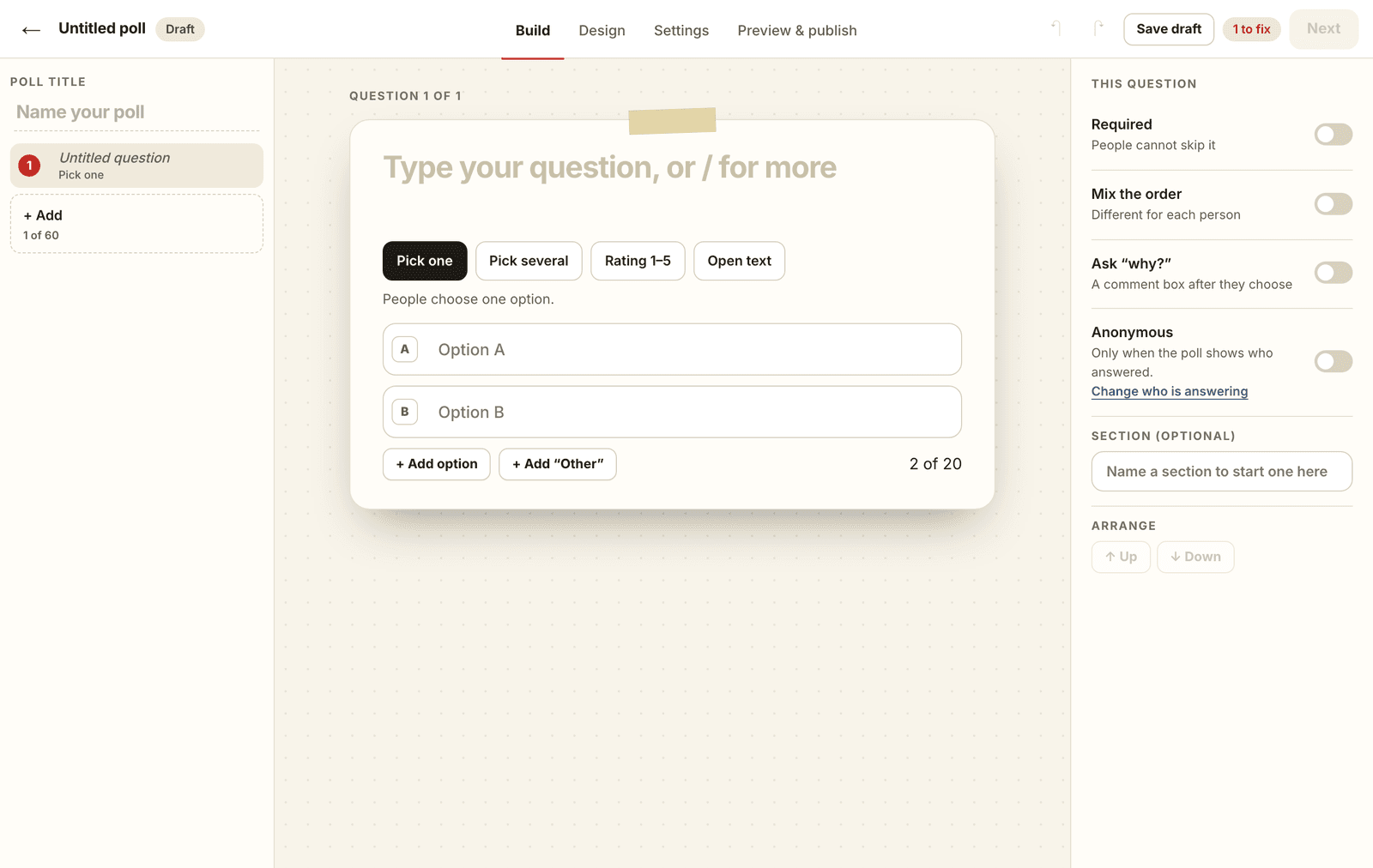
What goes into a survey
Single choice and multiple choice, a 1 to 5 rating and open text. For a row of items that share one scale, such as a set of skills to rate, a rating grid puts them on one screen.
Sections group questions under a heading with a short introduction. Mark a question required or leave it optional, and add an Other box when your choices might miss something.
The reason behind the answer
Turn on a why prompt and people pick a short reason after they choose. A bar chart says what won. The grouped reasons say why, and which wording confused people.
Phones first
One question per screen, a progress bar and large tap targets. It opens from a QR code, a link or a short code.
Share it where people are
Put the QR code on a slide, send an invitation by email under your organization's name, or let members forward the link.
Results you can report
Reasons and comments beside the counts, with the sample size and dates. Export a CSV or print a report.
Ask again
Reword a question, add a follow-up or run a second round with the same people, and see who changed their mind.
Start from a survey template
About making a survey.
Is ChatterPoll a free survey maker?
Your first 3 polls or surveys are free, each with up to 50 people. After that you can buy a single Poll Pass for $12, or choose Pro or Team for a monthly allowance.
How many questions can a survey have?
Up to 60 questions, grouped into sections. A rating grid counts as one question however many rows it has, and a grid can have up to 25 rows.
What kinds of questions can I ask?
Single choice, multiple choice with an optional limit on how many people can pick, a 1 to 5 rating, open text, and rating grids. Any choice question can ask people why, and can include an Other box for their own words.
Do people need an account to take my survey?
No. They open the link, scan the QR code or type the short code, and answer in their phone's browser. If they want to change an answer later, they can save it with an email.
Can people stay anonymous?
Yes. You choose for each survey: anonymous, come-back (people can return and change answers and you still never see who they are) or email first, where you see the address beside each answer and people are told before they start.
Can I export the results?
Yes. Every results page has a CSV download, and you can print a report that shows the sample size and the dates.
Create your first survey.
Start with a template or write your own questions.